
Willdesk order track is integrated with TrackingMore's API by default. If you are neither integrated with Parcel Panel nor TrackingMore in Shopify, Willdesk will use the default method to query using the Trackingmore API.
If you have installed both Willdesk and Parcel Panel / TrackingMore in Shopify, the logistics data of the C-end widget will obtain the logistics data of Parcel Panel / TrackingMore by default. Meanwhile, Willdesk will not repeatedly calculate the order track quota for logistics inquiries from Parcel Panel / TrackingMore.
Please kindly check the following setting instructions to set up the order track:
Step 1: Please go to Settings -> Live Chat.

Then go to Appearance -> Order Track and Manage.

You may switch the position and choose the priority of the order track display on the widget by clicking the  icon.
icon.

Step 2: Order track on the C-side panel.
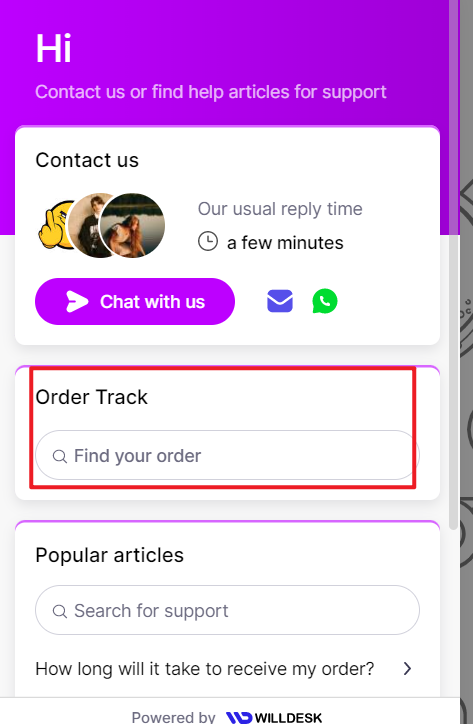
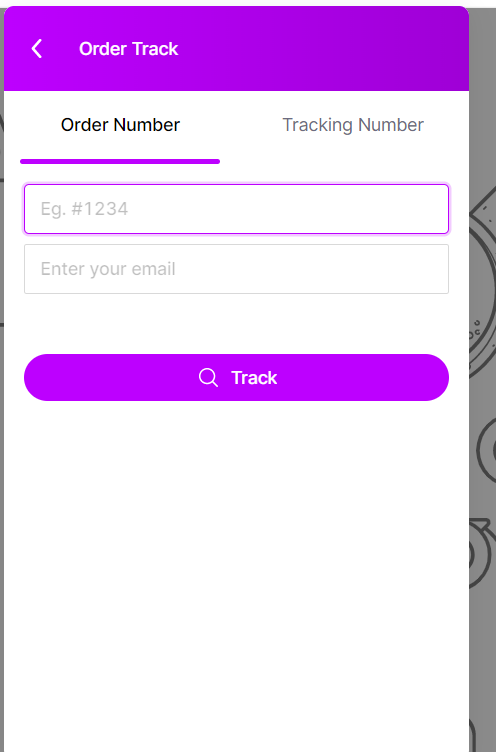
Step 3: Support input email and order number query, you can search out order status by inputting related order number and email address. The way of working in Tracking Number is the same as what we operate under Order Number option.
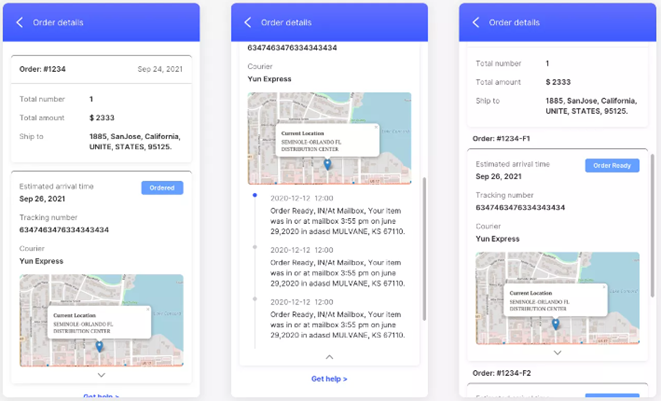
Step 4: After the query, the logistics details of the order will be displayed.
Not satisfied with this page, please feel free to contact us.