
When a team member is invited, he/she will be assigned to the existing team(s) or a newly created team.
If you want to create new teams and manage team members, please follow the below guidance:
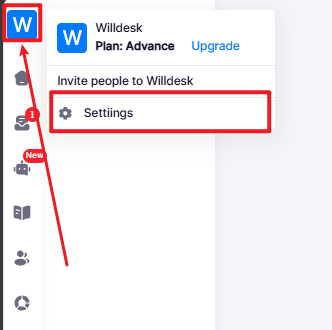
- Find the Workspace Icon -> Choose Settings.
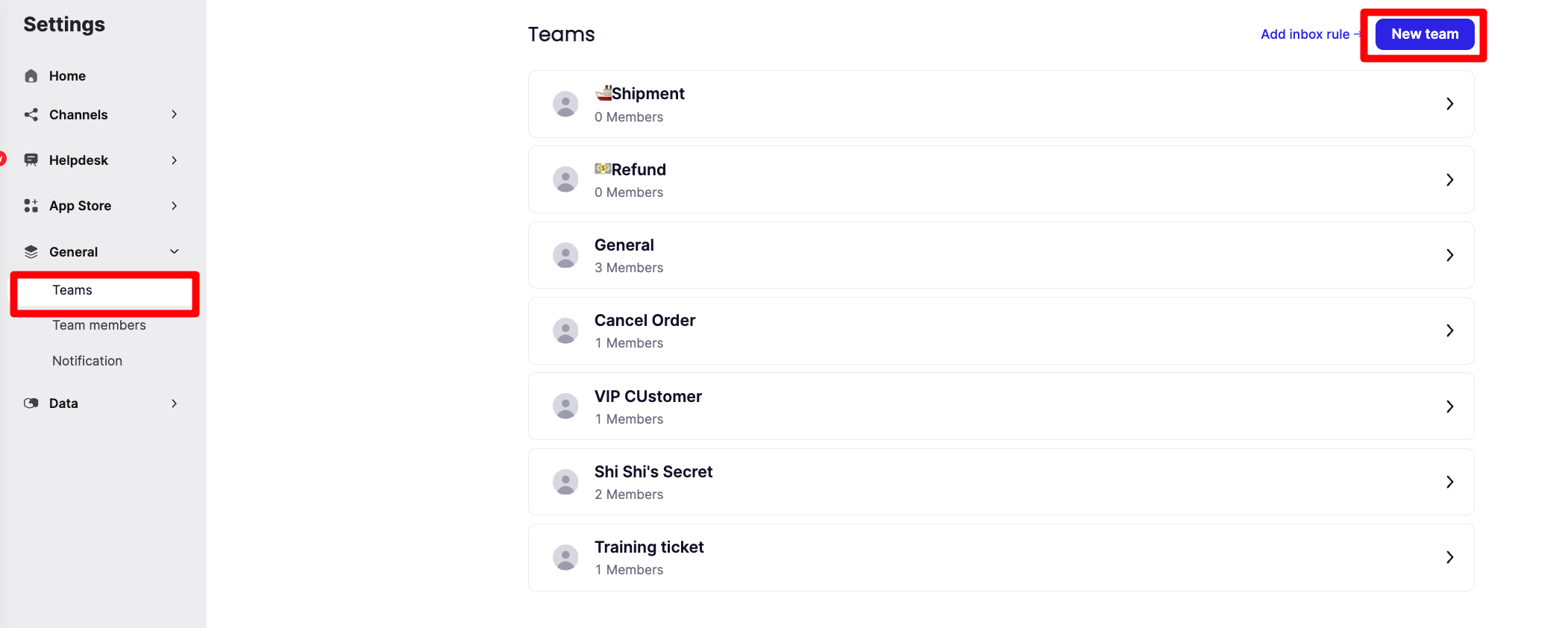
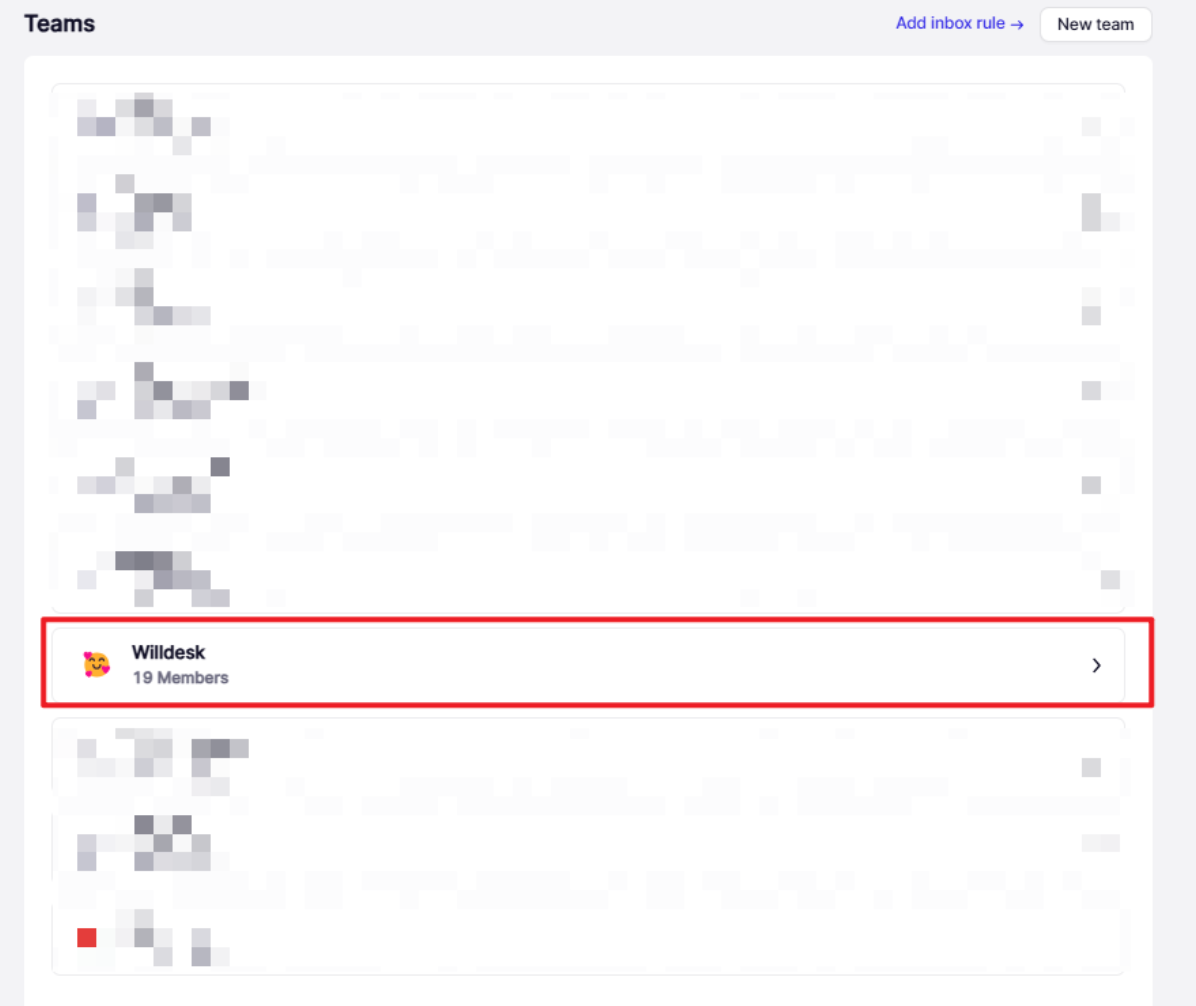
• On the Settings ->Teams -> click New Team to create teams.
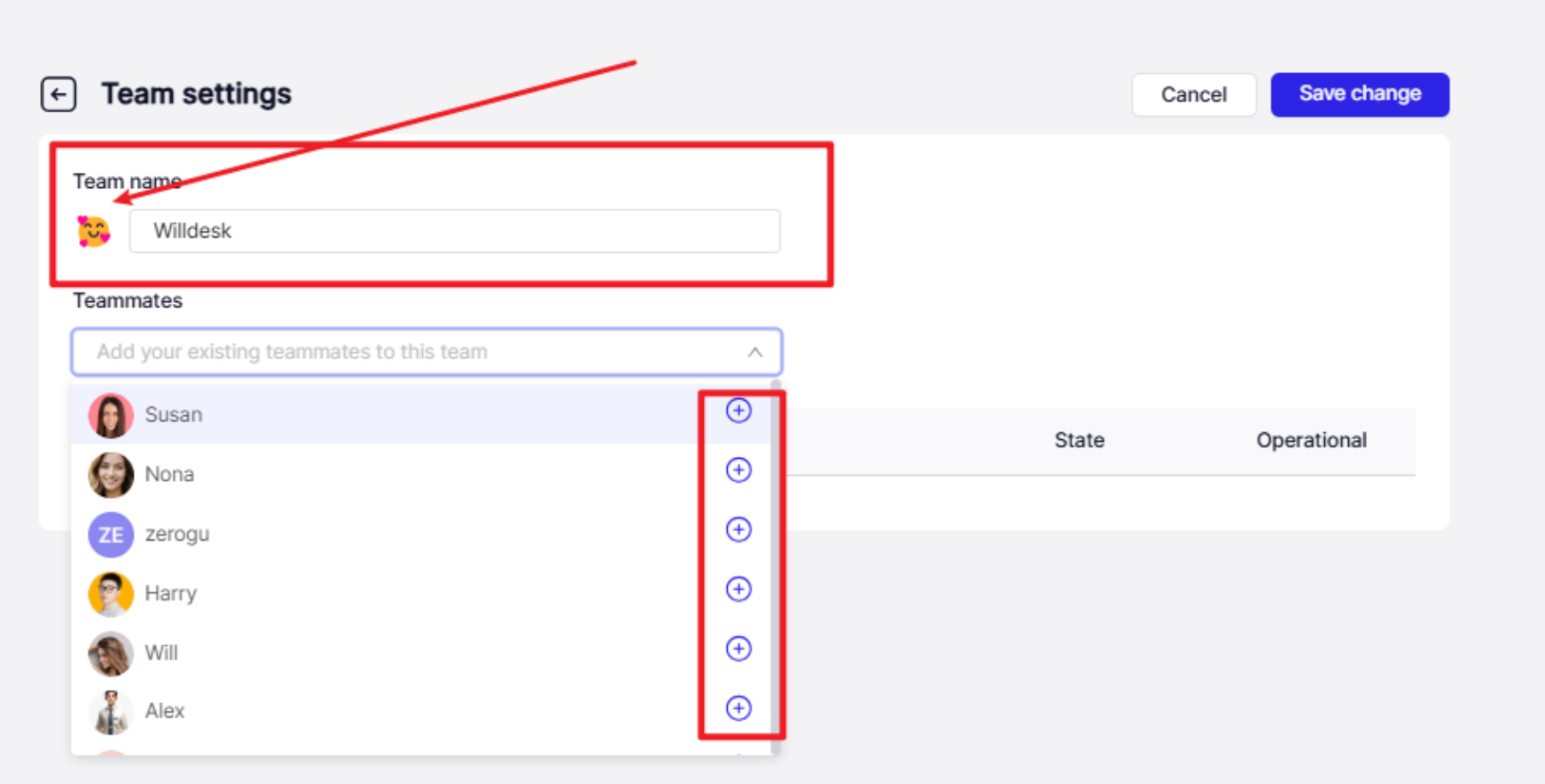
• Think of a distinguished name for your team;
Choose a sticker for the team;
Click "+" to choose team members for the team.
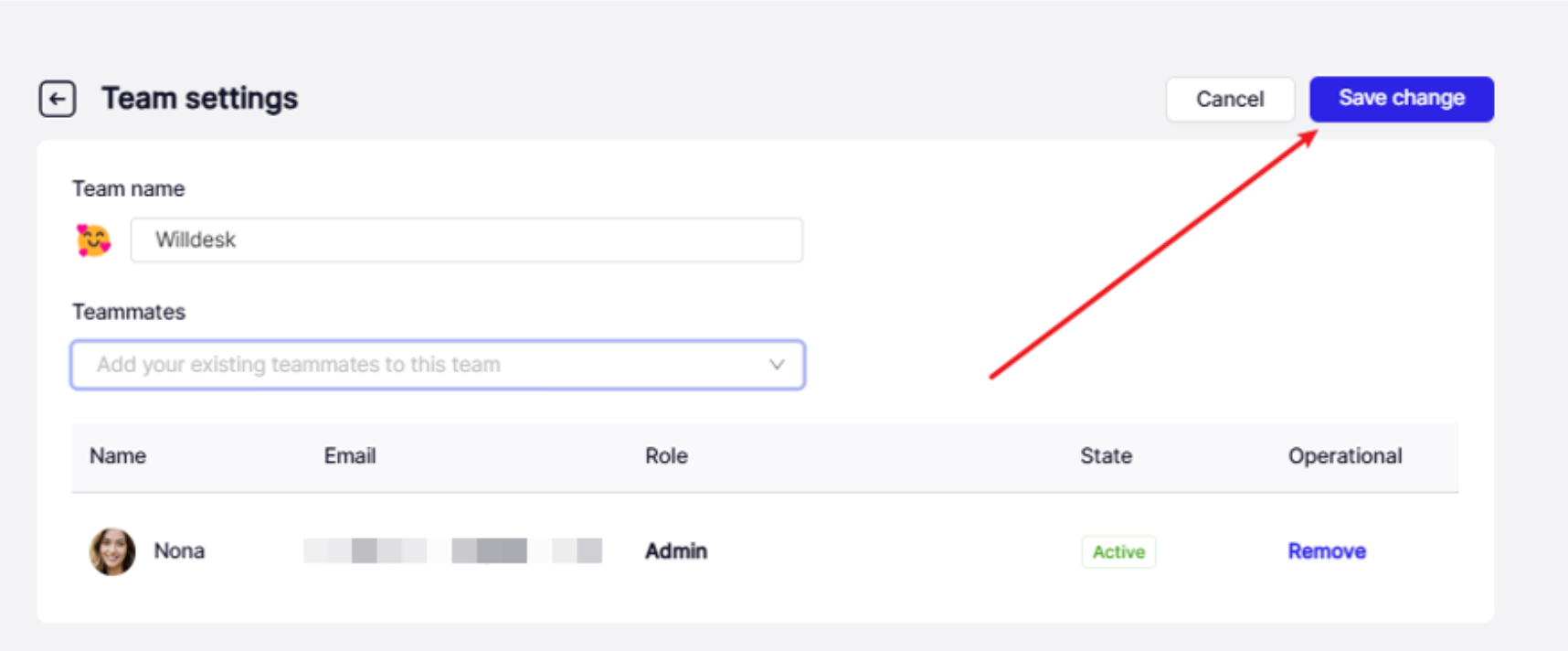
• Click Save change and a new team is created successfully.
Not satisfied with this page? Please contact us for more customizations!