
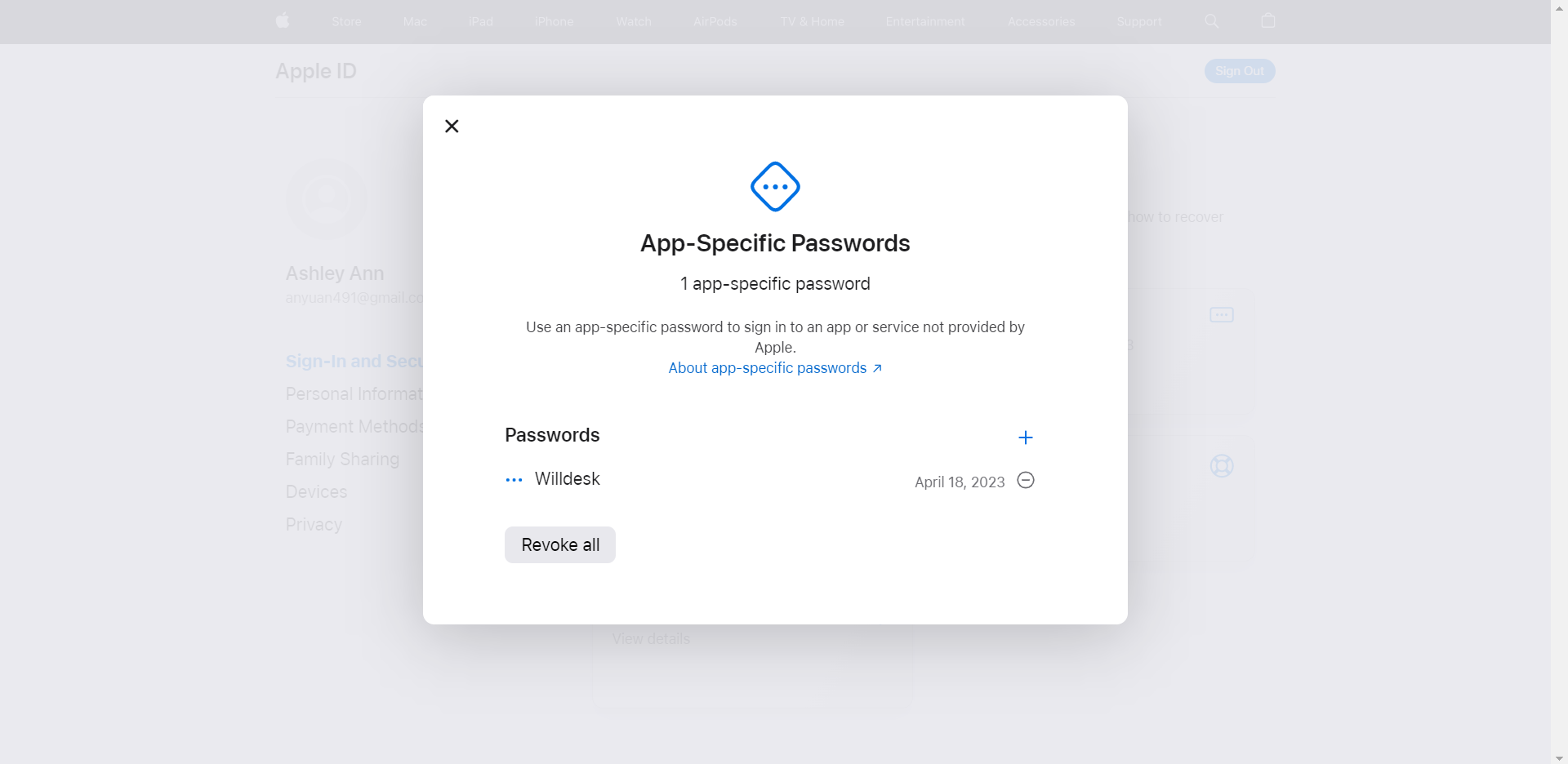
Ⅰ. Please kindly log into your Apple ID account.
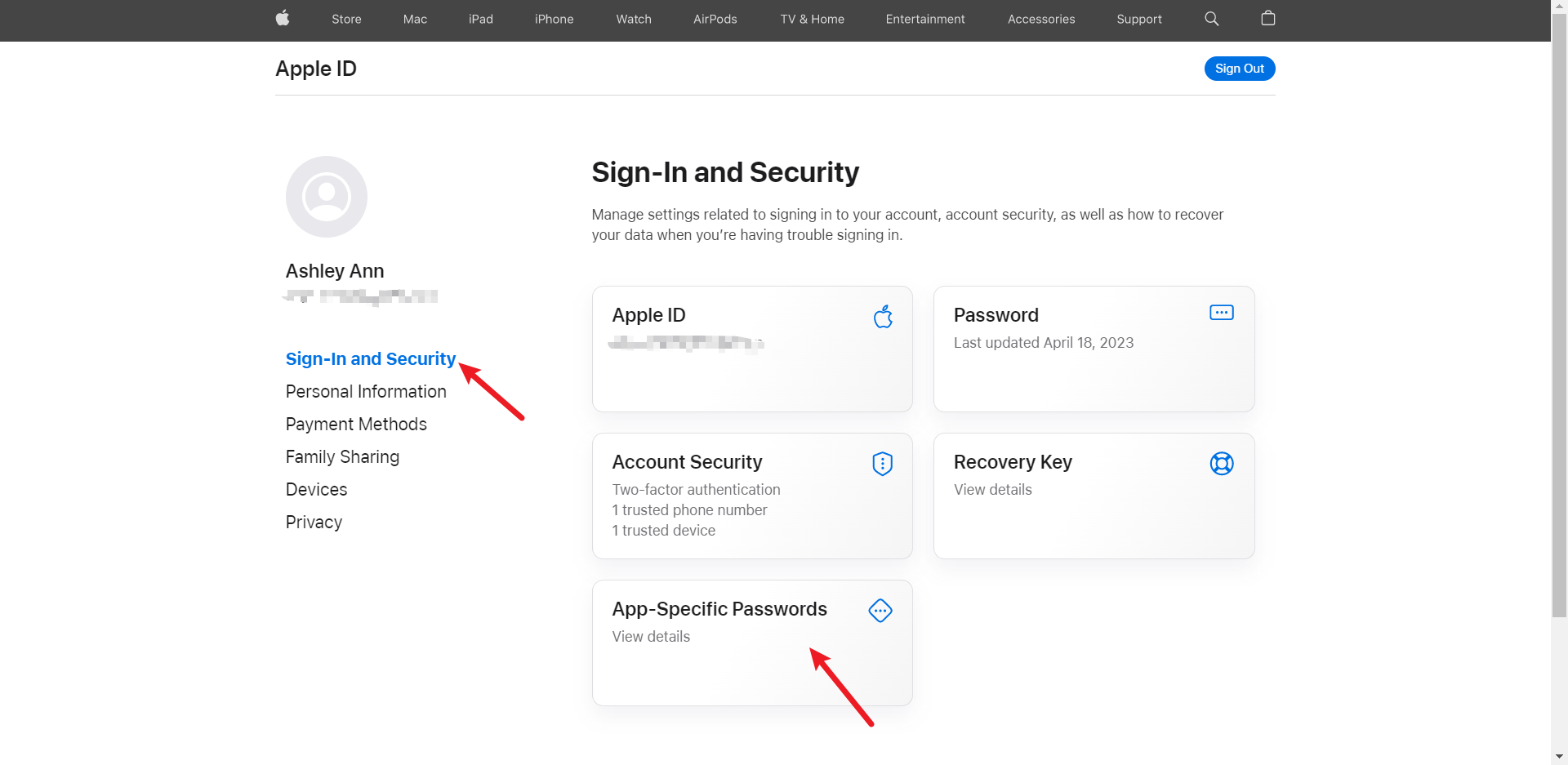
a: Click Sign-in and Security, and then click App-Specific Passwords.
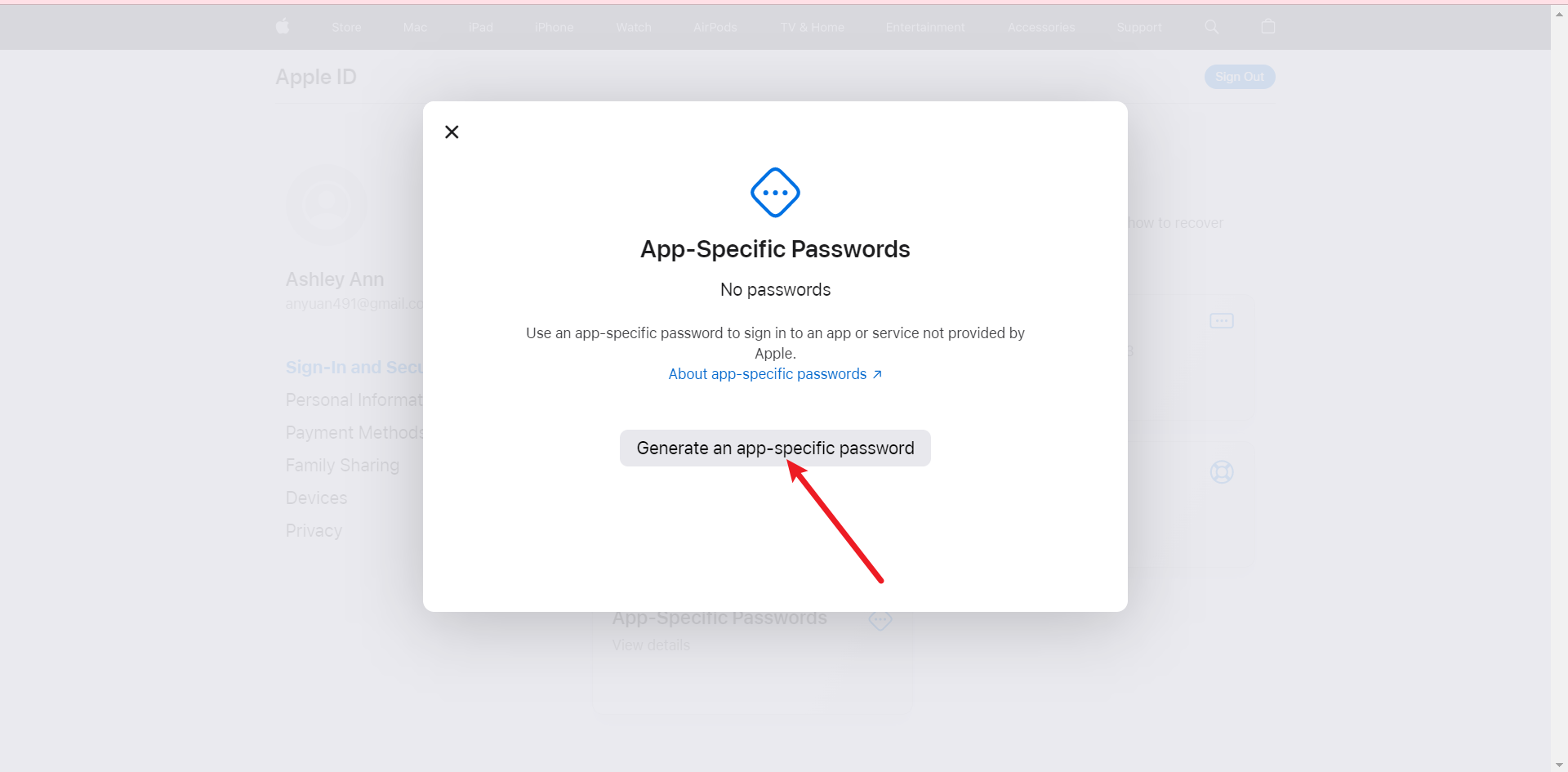
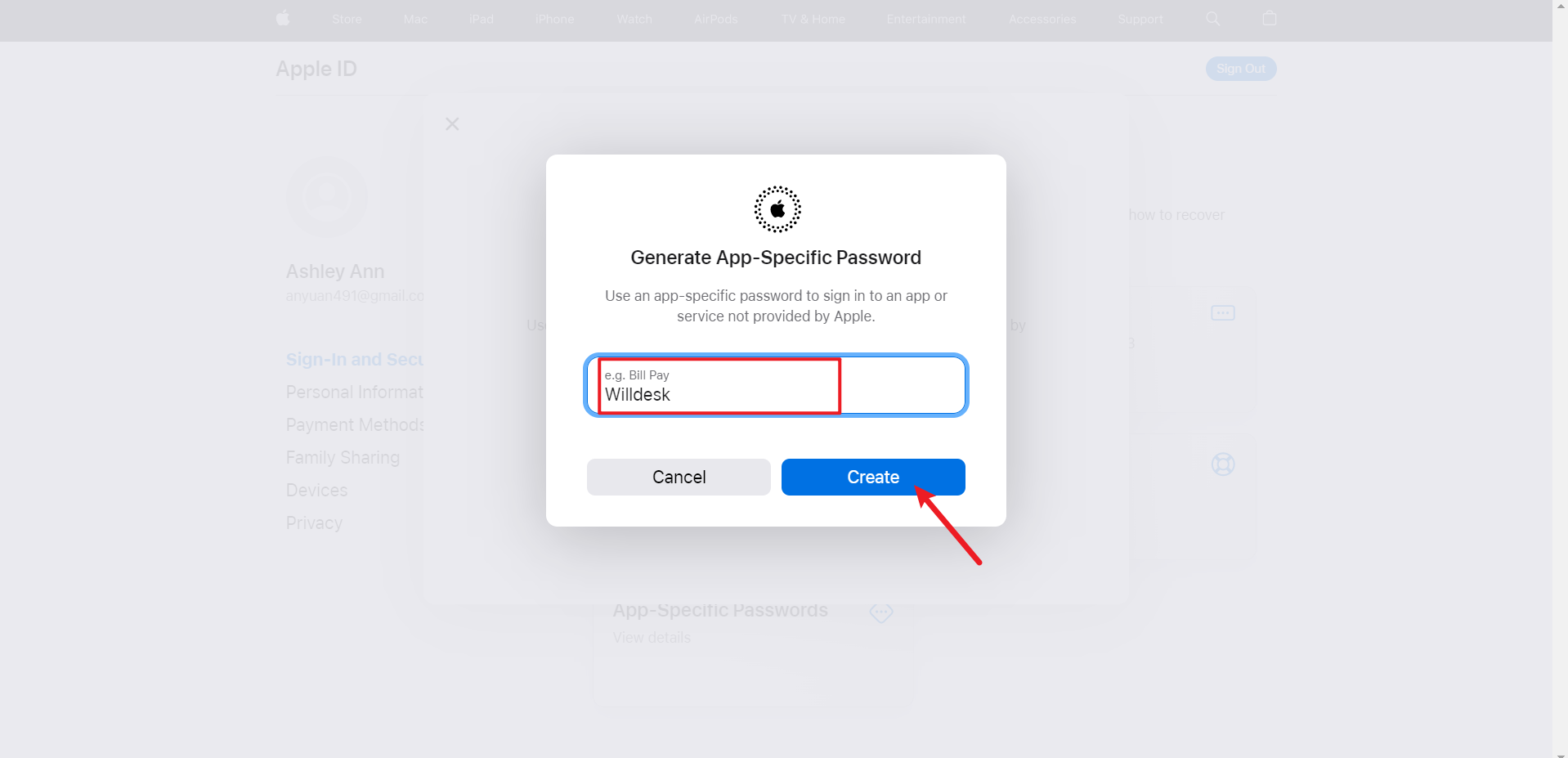
b: Think of a name for integration.
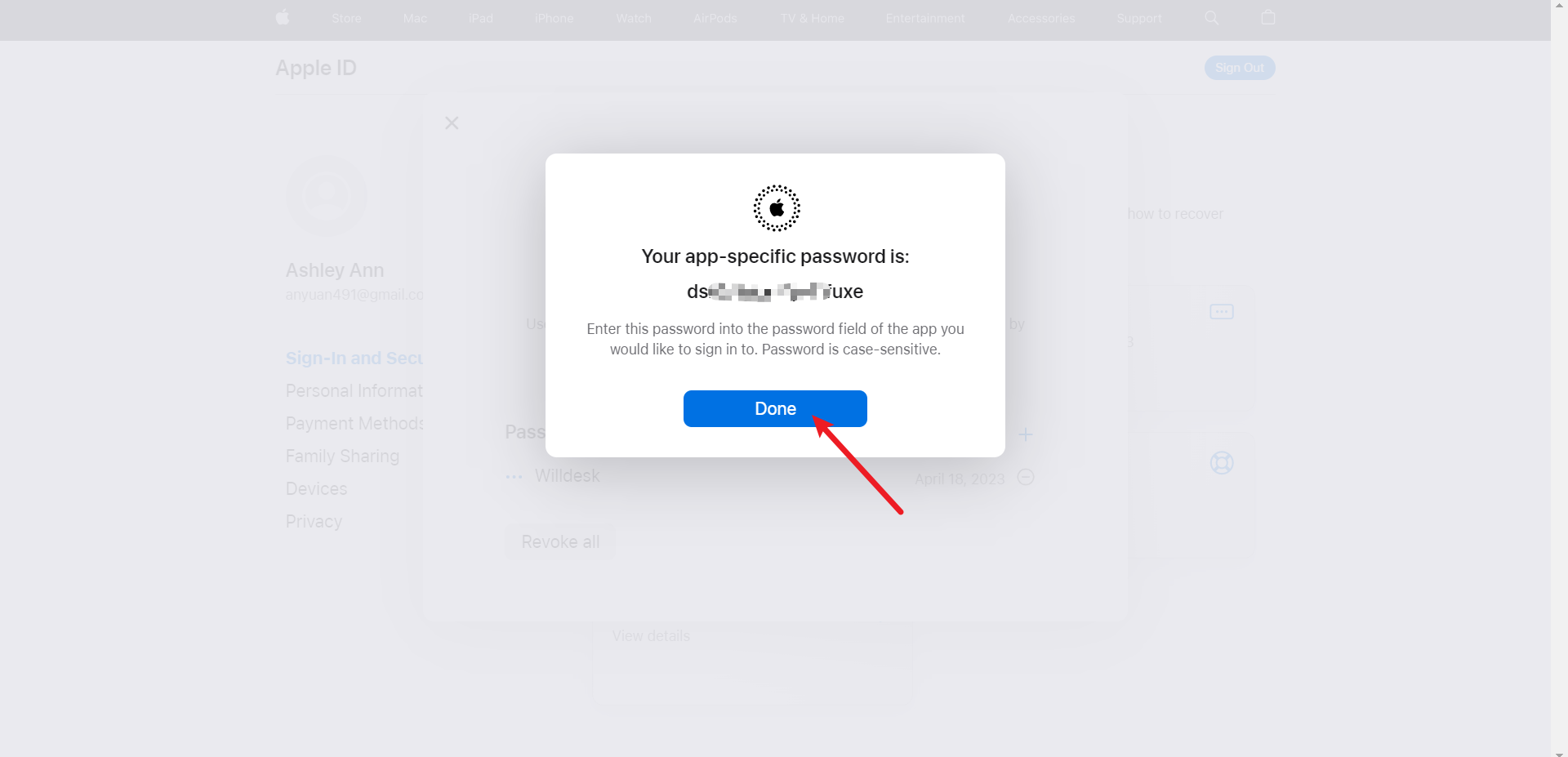
c: Copy the generated App-Specific Password and click "Done".
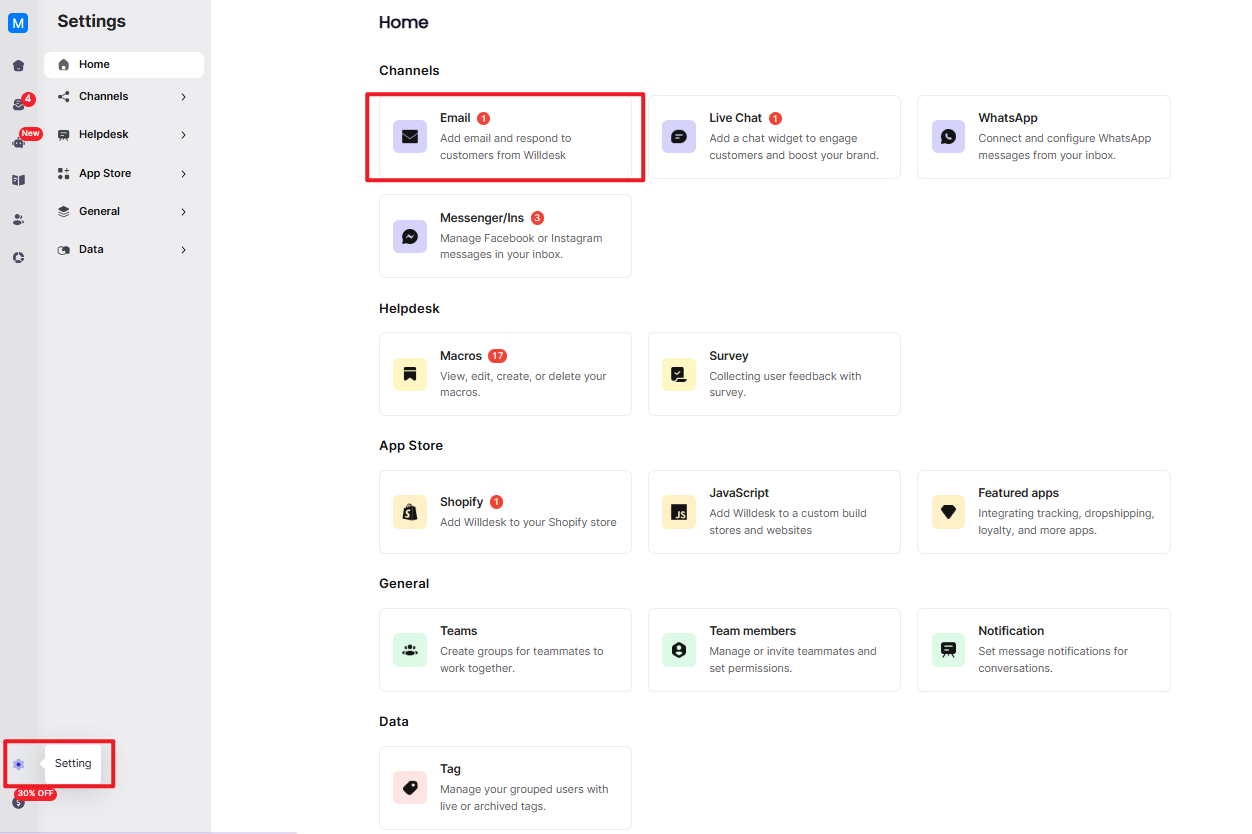
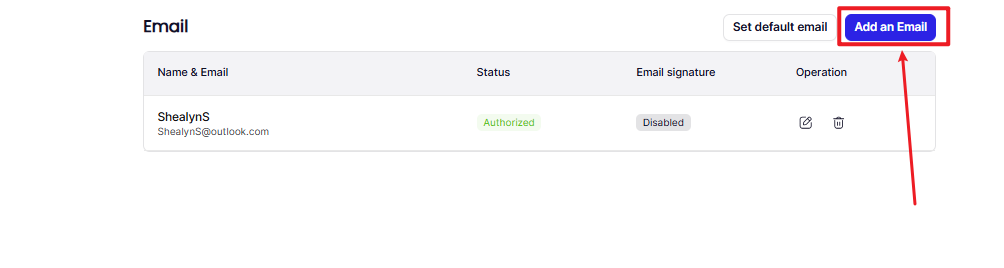
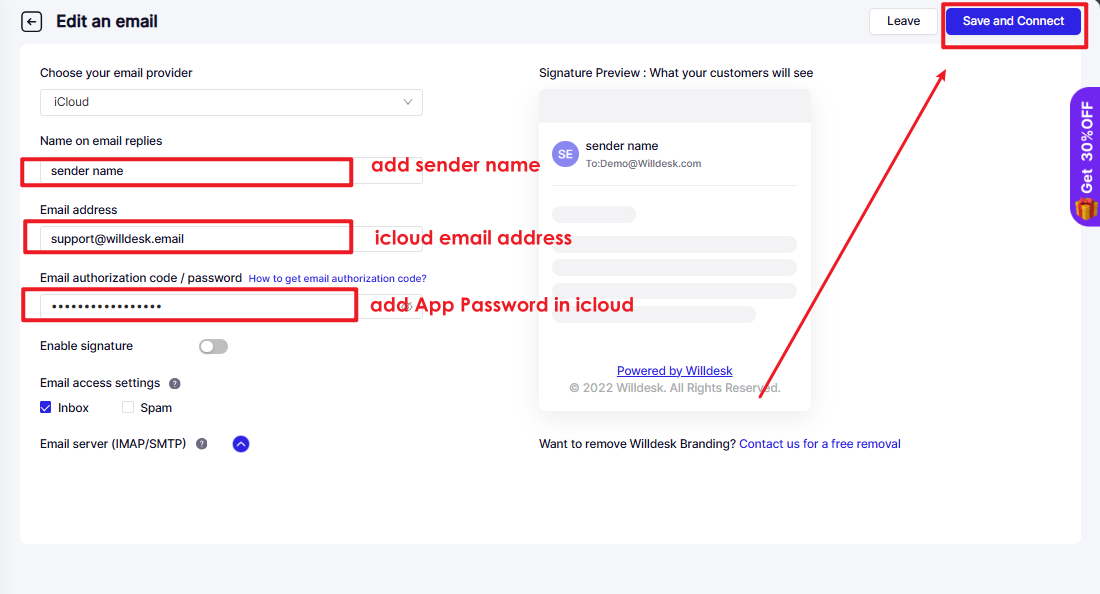
Ⅱ. Kindly go to the Willdesk backend -> Settings -> Email -> Add Email and Choose iCloud.
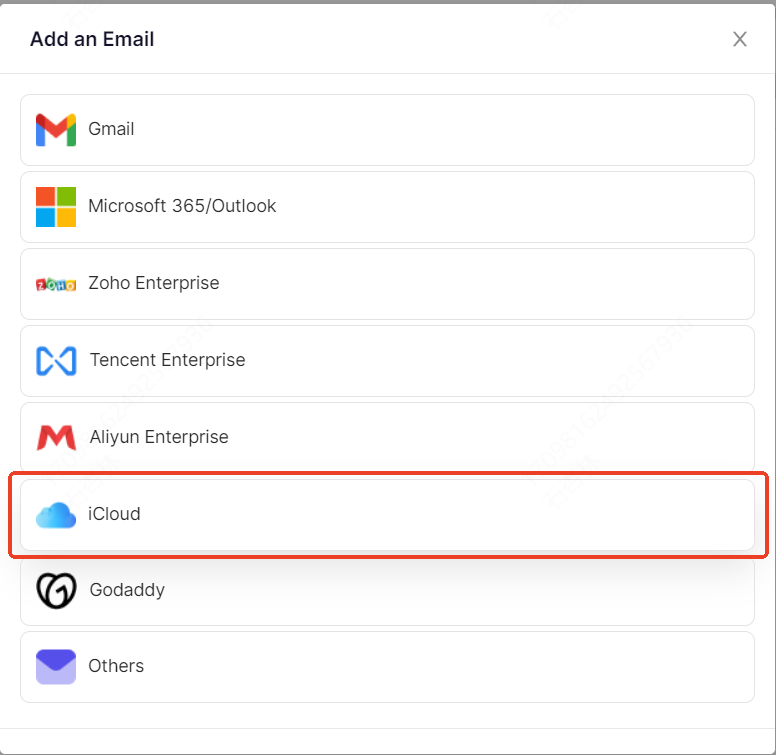
a: Choose the "iCloud" provider.
b: Enter the name.
c: Enter your iCloud email address.
d: Paste the "App-specific Password" here.
e: Click "connect”.
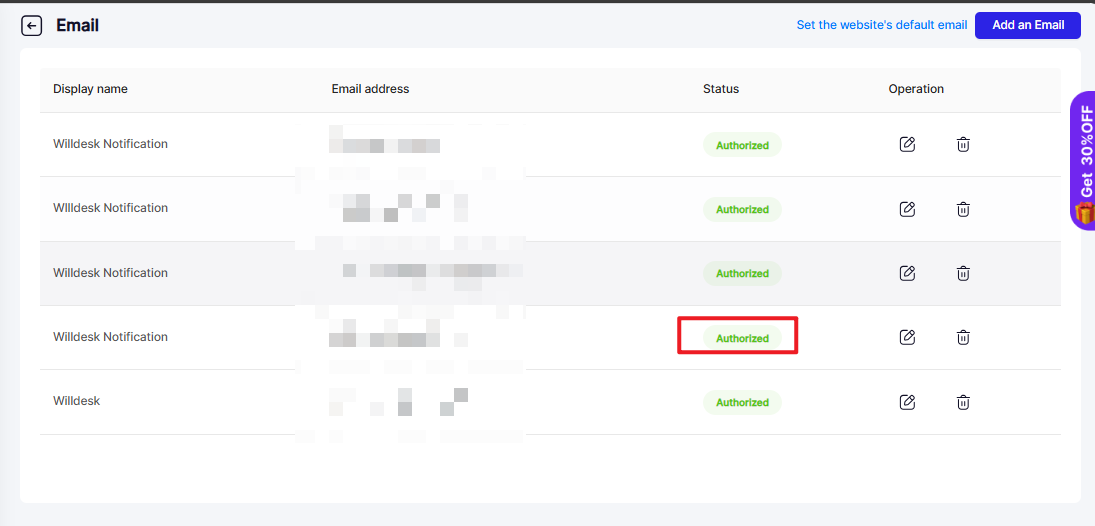
Ⅲ: The iCloud email address successfully integrated with Willdesk.
ATTENTION:
If you change your email password, email integration will be failed. Please follow the above steps to integrate again!
Not satisfied with this page? please contact us for more customizations!