
When a human agent intervenes in a conversation, AI Takeover Mode is automatically disabled. This means the AI assistant will no longer reply to the customer automatically. Here’s how you can identify this status and manually re-enable AI responses within the same conversation.
How to Know the Conversation is under AI Takeover Mode?
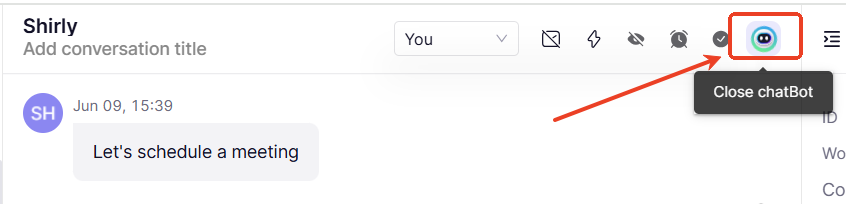
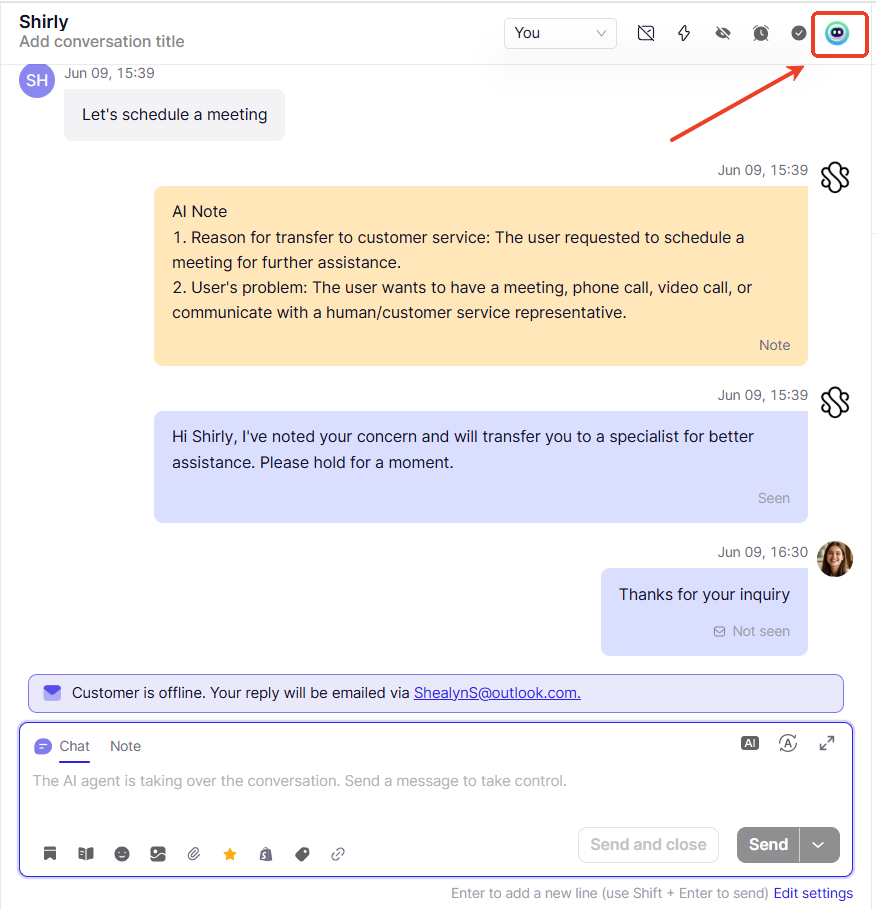
If the conversation is currently under AI control, you’ll see the Chatbot icon in the top-right corner of the chat window.
When is AI Takeover Mode Automatically Disabled?
AI Takeover Mode is automatically turned off in the following situations:
1. AI detects the conversation requires human assistance
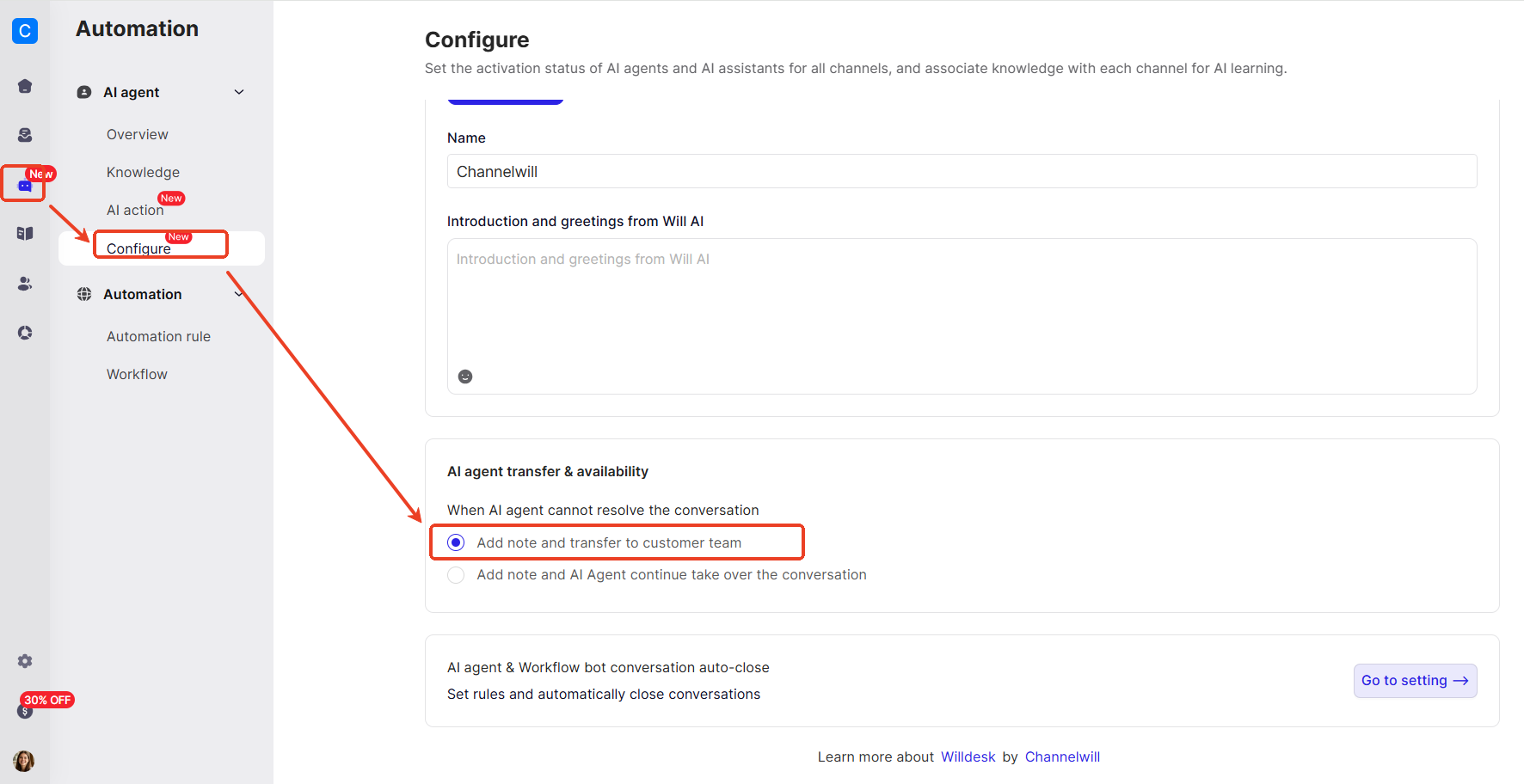
If you’ve enabled the “Add note and transfer to customer team” setting, the AI will stop replying to any further customer messages.
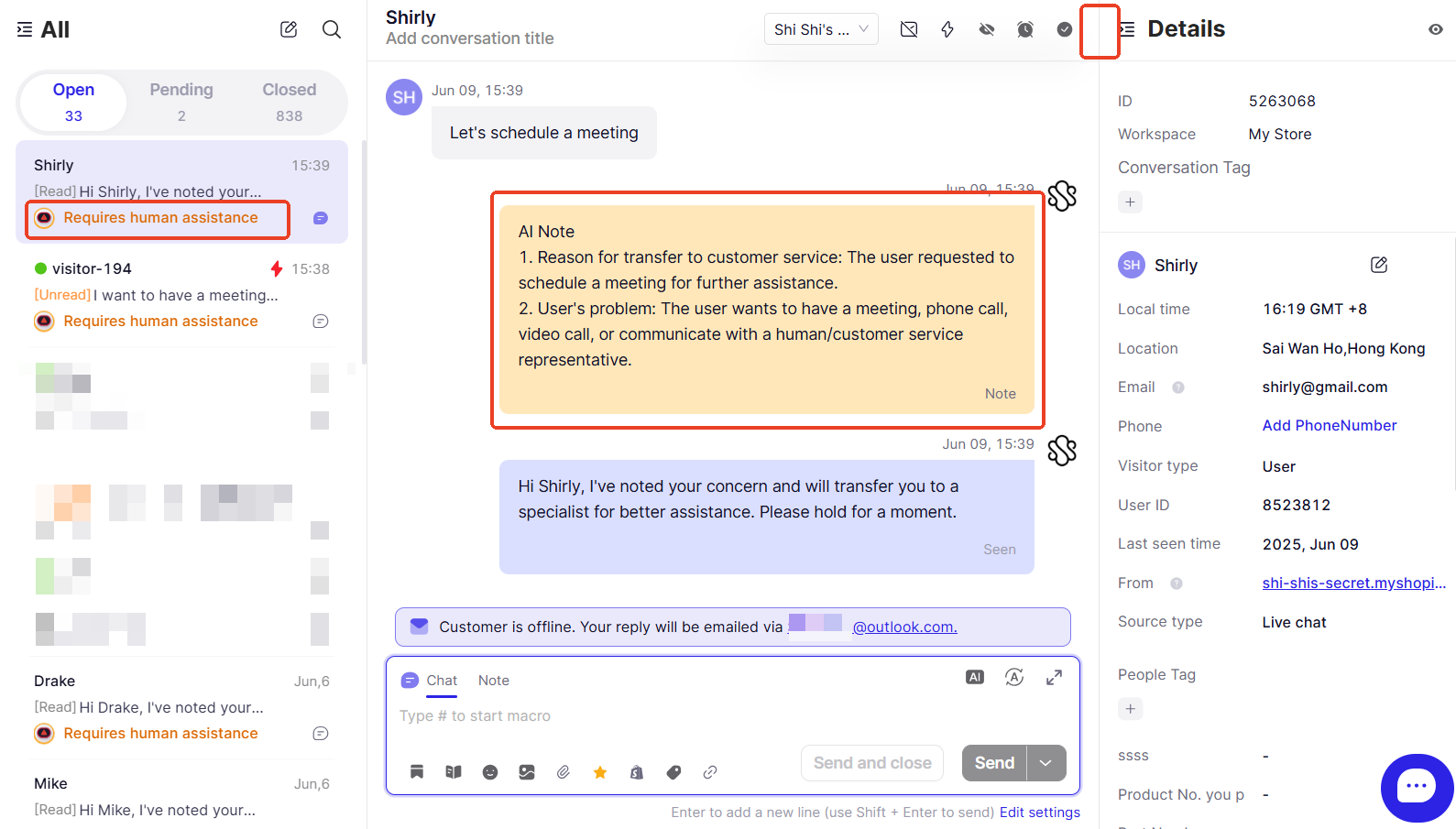
The Chatbot icon will disappear, and the conversation will be marked as “Required human assistance” in the chat list. An AI note will also be added in the chat, summarizing the reason for the transfer.
2. A human agent manually replies in the conversation
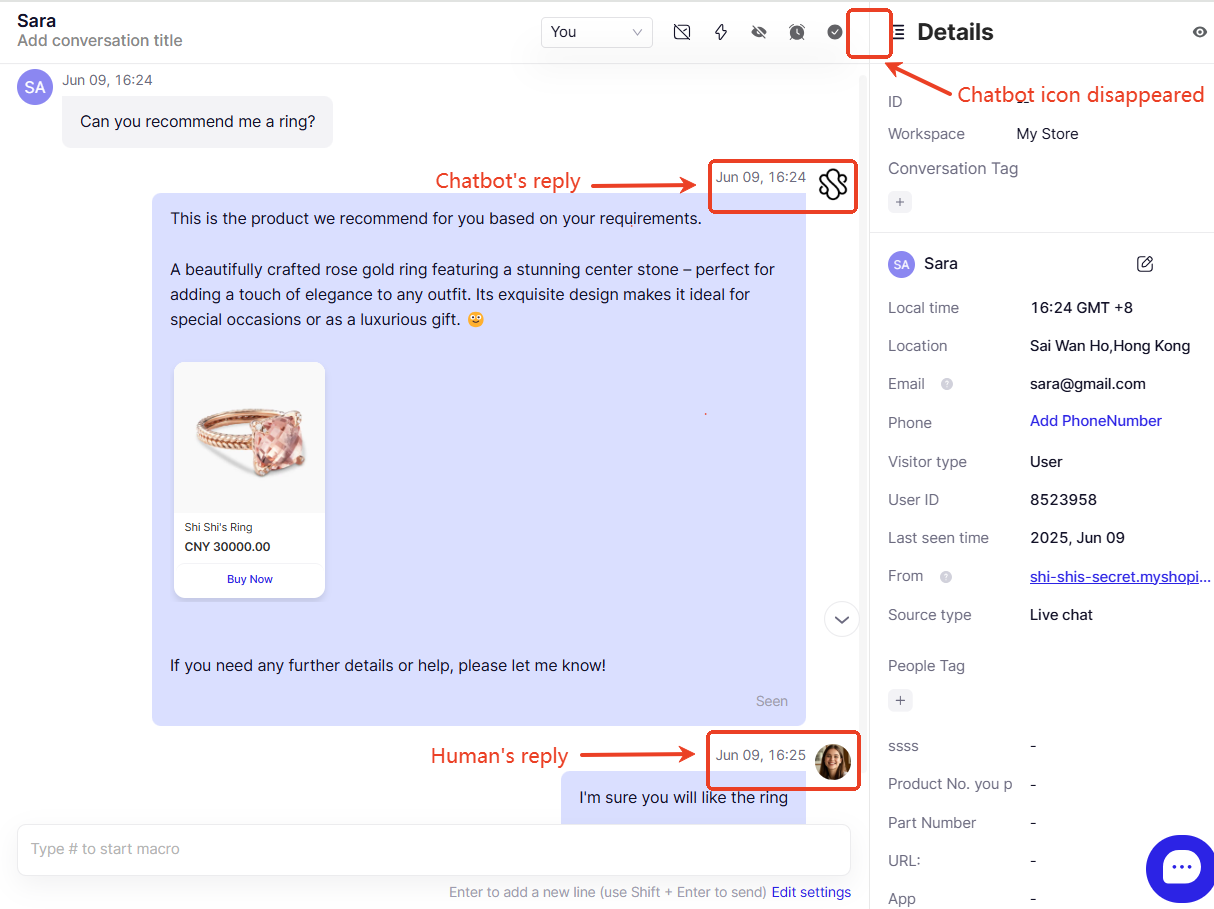
Once a human steps in and replies, the Chatbot icon will also disappear, indicating AI Takeover Mode has ended.
How to Reactivate AI Takeover Mode?
If you wish to re-enable AI auto-responses within the same conversation, here’s how to do it based on the situation:
Case 1: AI Transferred to Human Automatically
You must send a manual reply to the customer first. Once done, the “AI agent takes over” button will appear.
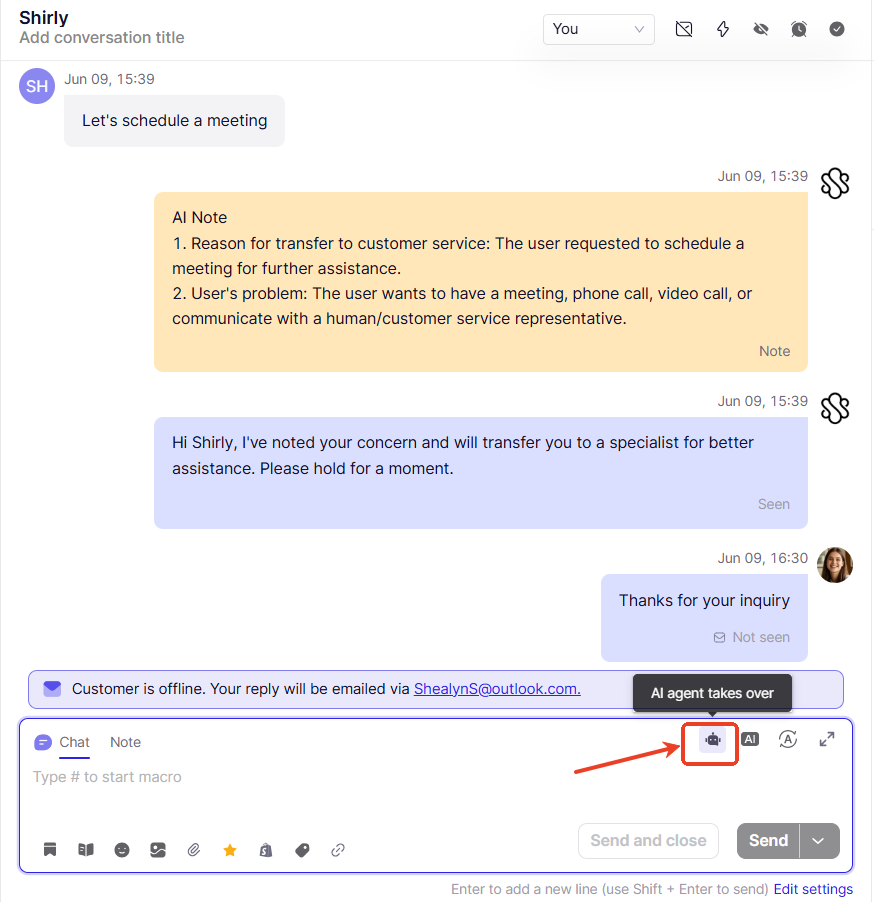
Click this button to reactivate AI Takeover Mode. The Chatbot icon will reappear, indicating the AI will resume replying automatically.
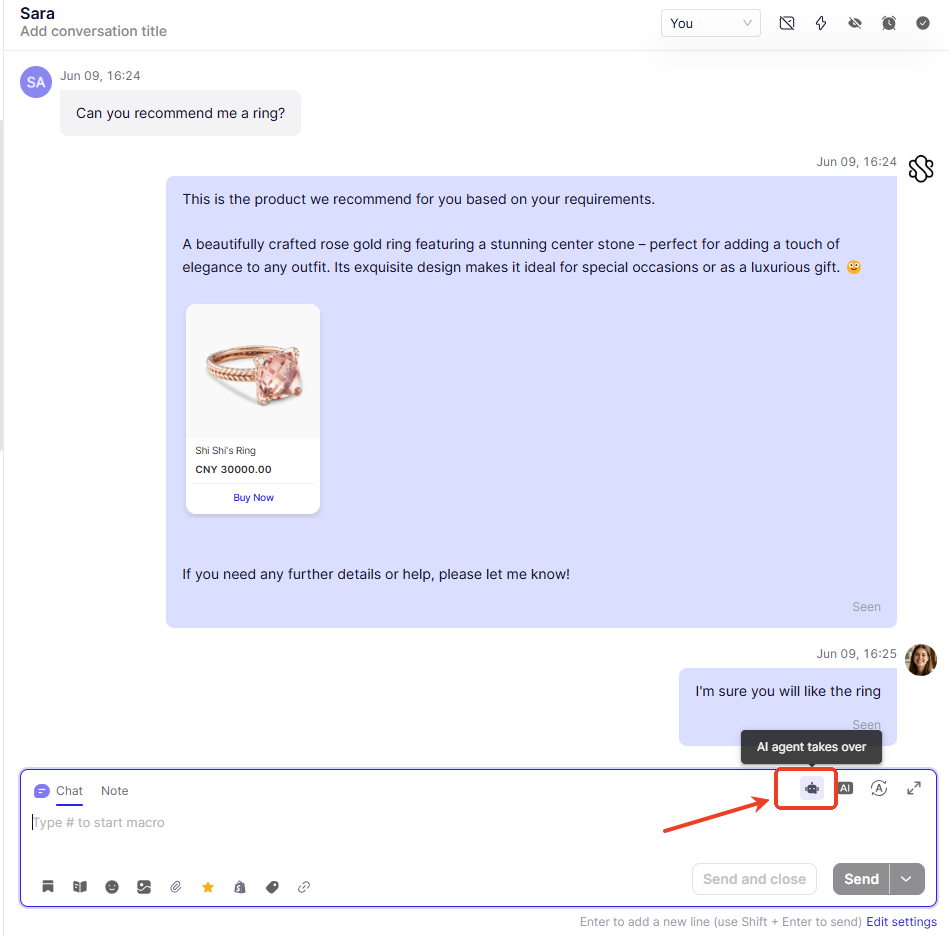
Case 2: A human agent manually intervened
In this case, you can simply click the “AI agent takes over” button directly—no need to send a message beforehand.
If you have further questions, feel free to reach out to our support team. We're here to help!